

Selling refurbished devices across several marketplaces can make order fulfilment more complicated than it needs to be. An order comes in through Back Market or eBay, someone finds the device in the warehouse and another system handles the shipping label. Before the parcel leaves, there may be weights to enter, courier services to choose and tracking details to update.
None of these jobs takes particularly long on its own. But when you're dealing with dozens or hundreds of orders, they soon add up. Refurbr brings picking, packing and shipping into the same system as your inventory and sales orders, helping tech refurbishment and ITAD businesses cut out much of the work that happens between receiving an order and sending it.
Your couriers, your rates
If you've already negotiated rates with Royal Mail, DPD or DHL, you'll want to keep using them. The frustrating part is having to pay for another piece of software just to arrange shipping and print labels, particularly when you're already managing the orders in Refurbr.
Refurbr connects with Voila (formerly Despatch Cloud), giving businesses access to more than 150 courier options, including Royal Mail, DPD, DHL, UPS, Evri and Yodel. You can connect your existing courier accounts and continue using the rates you've agreed, without Refurbr adding a commission or margin.
The Voila integration is included with Refurbr, so there's no separate integration fee. If you're currently using ShipStation or a similar shipping platform, you may be able to cancel that subscription altogether.
You still pay your couriers for the services you use, of course. The difference is that you can arrange shipping from Refurbr without transferring orders into another application.
Let Shipping Rules choose the right service
Not every order should go by the same delivery service. A lower-value device might be suitable for standard tracked delivery, while an expensive laptop may need a service with different levels of cover. Making those decisions by hand for every parcel leaves plenty of room for mistakes.
With Refurbr's Shipping Rules, you decide which services should be used for different orders. Rules can take account of the sales channel, destination and order value, so the system selects the appropriate courier and service when it's time to ship.
One Refurbr customer, for example, uses Royal Mail Tracked 48 for UK marketplace orders under £300, Tracked 24 for orders between £300 and £1,000 and Special Delivery for orders over £1,000. The same rules can be used for orders coming through Back Market and eBay.
That's just one example of how the feature can be configured. You choose the services and conditions that suit your business, rather than leaving every courier decision to whoever happens to be packing that day.
Stop entering the same parcel details
If you're sending laptops in the same type of box every day, there's little sense in repeatedly entering the weight and dimensions. Yet that's exactly what can happen when parcel details have to be entered manually for each courier booking.
Package Presets in Refurbr let you save those measurements against a product type. The next time you process an order for that type of device, the saved details are automatically added to the shipping information.
You might set a standard laptop parcel at 3 kg, for example, or an ultra-small form factor desktop at 2 kg. Tablets and larger desktops can have their own presets, based on the packaging you normally use.
It's worth checking that your saved measurements match the parcels you're sending, particularly if the packaging changes. Incorrect declarations can still lead to extra courier charges, but there's no need to start from scratch with every order.
From packed to booked automatically
Finishing the packing doesn't always mean an order is ready to go. There may still be a courier to book, a label to download and tracking details to enter on the marketplace. It's easy for these small jobs to hold things up, especially when several orders are waiting.
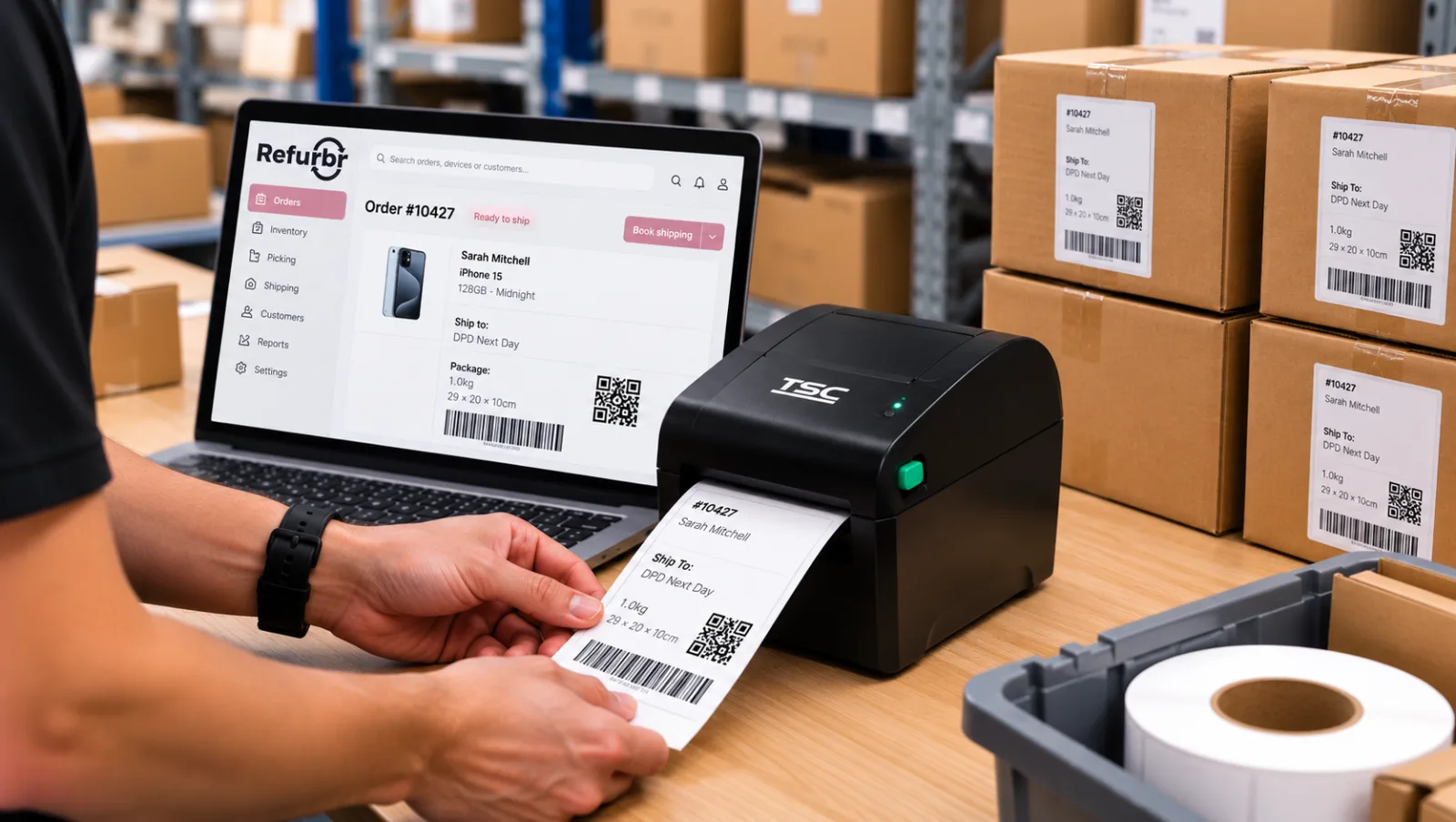
Refurbr's Auto-Book and Auto-Print features take care of much of that work. Once an order is packed, Refurbr uses your Shipping Rules to book the appropriate service through Voila, then generates the label and sends it to the printer.
For supported Back Market and eBay business orders, tracking information is sent back to the marketplace automatically. That saves staff from having to update each order separately and helps keep the information customers see up to date.
There's also support for Back Market's Backship service. When an order uses Backship, Refurbr can retrieve the DPD shipping label automatically, ready for printing.
Staff can finish packing one order and move straight on to the next, without opening a separate shipping platform to complete the booking.
The right label, on the right printer
Anyone who's worked at a busy packing bench will know how irritating printer problems can be. Courier labels need to come out of the thermal printer, while invoices and packing slips may need an A4 printer somewhere else. Selecting the wrong device or having to change settings interrupts the job.
Printr is Refurbr's own label printing client, designed to handle this part of the process. A small application runs on a Windows or Mac computer and sends print jobs from Refurbr to whichever printer you've assigned.
It works with popular label printers, including Zebra, TSC, Xprinter and Dymo LabelWriter models, as well as standard office printers. You can send courier labels to the packing bench and other paperwork to an A4 printer without choosing the destination every time.
Printr also monitors print jobs and printer availability. If a job needs retrying, it manages the process to avoid printing duplicate labels.
There's a free plan available to Refurbr customers, subject to its usage limits. Businesses printing more labels can choose a separately billed paid plan, with details at getprintr.co.uk.
Pick the right device, first time
Two refurbished laptops might look identical on the shelf, but that doesn't mean they're interchangeable. They could have different specifications, cosmetic grades or serial numbers, and the customer is expecting the particular device allocated to their order.
Refurbr's guided picking feature tells warehouse staff exactly which unit they need. It identifies the device by its AssetTag, IMEI or serial number and shows where it's stored, so there's less guesswork involved in finding the right one.
It also supports first-in, first-out (FIFO) picking. Where appropriate, older stock can be prioritised instead of leaving it on the shelf while more recently received devices are sold.
This is particularly helpful when new employees join the warehouse team. They don't need to know the location of every device from memory, and they have the identifying details needed to check they've picked the correct unit.
One picking run, multiple orders
Walking back and forth across a warehouse for individual orders isn't the best use of anyone's time. If several devices need collecting from the same area, it makes more sense to pick them together rather than returning to those shelves throughout the day.
Refurbr's picking runs let staff group orders into a single picking task. They can collect the devices needed for several orders during one trip around the warehouse, following the picking instructions in the system.
For businesses dealing with large numbers of marketplace orders, that can mean fewer trips between the shelves and packing benches. Each device is still individually identified, so collecting several orders together doesn't mean losing track of which unit belongs to which order.
Bringing the entire fulfilment process together
All these features are designed to work as part of the same order fulfilment process. An order arrives from Back Market, eBay, Amazon or another sales channel, the correct device is picked and the parcel details are added during packing.
Refurbr then uses your Shipping Rules to book the courier, sends the label to the appropriate printer and updates tracking information for supported marketplaces. There's less information to enter twice and fewer occasions when someone needs to leave Refurbr to finish a task.
For tech refurbishment businesses, it's a practical way to handle growing order volumes without adding more software or unnecessary work for the warehouse team.
Ready to get started with Refurbr?
Explore our pricing options and discover how Refurbr can make managing your tech refurbishment business easier, with plans starting from £475 per month. Book a FREE, no-obligation demo with the team today to see how Refurbr could work for your business.